Version: 2008
  • On TechRepublic: 10 cool USB flash drive tricks
advertisement
Click Here

PrintStation 3.27

  • Quick specs
  • Price: Free to try (15-day trial); $35.00 to buy
  • Operating system: Windows 95/98/Me/2000/XP/2003/Vista/7
  • Date added: November 05, 2009
  • Total Downloads: 8,359
  • Downloads last week: 17
  • See full specifications
Add to my list Add to my Watch List
Download Now (3.35MB)
Tested spyware free

CNET editors' review

Reviewed by: CNET staff on December 23, 2009

PrintStation is designed to assist in the photo-printing process. You can use it to create layouts of single or multiple photos and print them out or save them as image or PDF files.

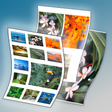
PrintStation has an attractive and modern interface. The main interface serves as a file browser. You can change the background color to gray or black, which helps you evaluate the color and tone of your photos. The file browser allows for scalable thumbnail viewing of photos that you can select for printing, or you can create new folders and organize files from it. From the Create Layout menu, you can print one full-size image per page, or you can have the program create a layout that will fit several smaller-sized photos on a single page. You can also print photos in a Grid Style Layout, which is handy for creating contact sheets. There are options to print the layouts as image files or as PDFs. You can print your layouts right from this program, or, if you select the PDF option, you can save the layouts for use with other applications. There's a useful Help file, too. This program is very easy to use and can help amateur photographers and hobbyists print photos with ease.

The 15-day trial version of the software puts a watermark on your finished page layouts and has some limited functionality. If you enjoy printing photos with your home printer, PrintStation can help streamline the process. We recommend it to all users.

Publisher's description

From Picmeta Systems :

PrintStation is a professional photo catalogue software that creates printed albums, index files, and PDF photo documentations. It allows to output multiple pictures on multiple pages, with custom page layouts, along with header and footer text inclusive automatic macros just at the touch of a button. A page in PrintStation consists of columns, rows and cells. Simply define the number of columns and rows, and the cells are sized accordingly. Pictures are fitted automatically to the cells but can also be enlarged in horizontal or vertical direction. An intelligent algorithm adjusts the picture order so that there will not arise any gaps. PrintStation also integrates a very handy picture browser with a fast viewer inclusive slide show feature, making reviewing and selection of pictures really convenient.

What's new in this version:

Version 3.27 added dialog to select the page layout mode and fixed bug when printing from memory card.

Record and edit sound files.

More popular Photo Sharing & Publishing downloads

  1. 2,964 downloads 1. Webshots Desktop
  2. 957 downloads 2. BullZip PDF Printer
  3. 744 downloads 3. Magix Slideshow Maker
  4. 410 downloads 4. Macromedia FreeHand MX
  5. 386 downloads 5. pdfFactory Pro
  6. See all Photo Sharing & Publishing downloads
Update your PC's drivers for better performance and stability.

User reviews

Write your own review Be the first one to review PrintStation 3.27 and share your experience with the CNET community!
Previous versions: See all user reviews

Submit your review

Log in or create an account to submit your review for:

PrintStation 3.27

ORLog in with your Facebook account
1. Rate this product:
(Mouse over the stars to rate this product and click to set your rating.)
2. One-line summary:(Summarize your review in one line. 10 characters minimum; required.)
0 of 55 characters
3. Pros:(Tell us what you like about this product. 10 characters minimum; required.)
0 of 250 characters
4. Cons:(Tell us what you don't like about this product. 10 characters minimum; required.)
0 of 250 characters
Bottom-line summary:(Explain to us in detail why you like or dislike the product, focusing your comments on the product's features and functionality, and your experience using the product. This field is optional.)
0 of 5000 characters

The posting of advertisements, profanity, or personal attacks are prohibited.
Click here to review our site terms of use.

Submit
See more CNET content tagged:
cell,
photograph

Previous Versions:


advertisement