CNET Editors' review
This single-purpose program calculates boot time for your PC, although its accuracy depends on system boot requirements.
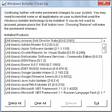
PC Boot Timer requires no installation. When you start your system, PC Boot Timer loads itself in memory and measures total system boot time. This utility removes itself from memory after all system processes have loaded, and then displays the total boot time.
Unfortunately, the program then takes the opportunity to send you to an Internet site for feedback and product endorsements. The program warns users against using the keyboard or mouse, but some users must do so to correctly load certain processes. This results in an inaccurate result from PC Boot Timer. PC Boot Timer gives the user no indication of the amount of time needed for each part of the boot process. The display of only a total time doesn't help a user pinpoint boot problems.
Some users may find it helpful to know the total boot time for their PC. This freeware accomplishes that slender purpose at the cost of displaying an advertisement.

Publisher's Description
From PlanetSoft:
This utility is used to find the boot time of the computer running Windows XP or Windows 2000. Simply double click on the application & follow the instructions. Upon completion, it will restore the system to original condition leaving no trace behind.
More Products to Consider
- Clean up junk files and invalid Registry entries.Download
Installed
Smart Install - Tune up and maintain your PC, clean registry easily.Download
Installed
Smart Install - Take full control over RAR and ZIP archives, along with unpacki...Download
Installed
Smart Install - Fix, speed up, maintain, and protect your PC.Download
Installed
Smart Install - Update PC drivers automatically using cloud technology.Download
Installed
Smart Install - Learn how long your machine has been running with this Yahoo wi...Download
Installed
Smart Install - Move, resize, copy, explore, and recover hard disk drive partit...Download
Installed
Smart Install - Speed up your PC startup process.Download
Installed
Smart Install - Take full control over RAR and ZIP archives, along with unpacki...Download
Installed
Smart Install - Synchronize your system time with atomic clock servers.Download
Installed
Smart Install - Configure and manage disk partitions, move, resize, copy and re...Download
Installed
Smart Install - Copy your Windows system volume to disks.Download
Installed
Smart Install - Optimize, clean, and back up your Registry.Download
Installed
Smart Install - Keep your PC in tiptop shape and at peak performance.Download
Installed
Smart Install - Scan, repair, and restore your Registry.Download
Installed
Smart Install - Find and fix incorrect or obsolete information in the Windows r...Download
Installed
Smart Install - Customize, optimize, and maintain your Windows operating system...Download
Installed
Smart Install - Download and update all your Windows drivers, back them up and ...Download
Installed
Smart Install - Boot up to 256 independent operating systems.Download
Installed
Smart Install - Scan junk files and delete these junk files in Windows system.Download
Installed
Smart Install - Synchronize your PC's system clock or all PC's system clock in ...Download
Installed
Smart Install - Zip and unzip files instantly, protect them by encryption, or b...Download
Installed
Smart Install - Store and monitor orders information and generate invoices.Download
Installed
Smart Install - Place a clock for timing up and down on your desktop.Download
Installed
Smart Install
-
All versions:
2.7 starsout of 3 votes
-
Current version:
2.7 starsout of 3 votes
-
My rating:
Write review
Results 1-3 of 3
-
"Does not work"
Version: PC Boot Timer 1
Pros
If it worked as advertised, it would be good
Cons
After instalation, and restarting, iit did not do what was advertised
Summary
Good if it worked
I had to reinstall, and on whim, tried this software again. Surprisingly, this time the software worked as advertised. However, its accuracy is questionable. The cutoff time used by the software to calculate boot time is after all startup programs and processes have loaded. It would be nice to know what the software uses to determine end of boot.
Updated on Jan 24, 2011 -
"Works, but of dubious value"
Version: PC Boot Timer 1
Pros
Program seems to do what it says it does.
Cons
No real negatives except as noted in summary.
Summary
I am not a user who is obsessed with boot time, shut down time, etc. It takes what time it takes! A few seconds more or less is insignificant. However, this would be a wonderful tool to use for participants in a forum discussion, for instance, comparing boot times. It would effectively define "boot time" exactly the same way for all participants. Currently, there is no single, universally recognized definition for "boot time", making online forum discussions and comparisons meaningless.
-
"Decent"
Version: PC Boot Timer 1
Pros
Does what it says, just do a timing of bootup time. I will prefer microsoft bootvis, it provide more details and customising. MS has already removed its link to download bootvis but u can still goggle for it at third party sites which have mirrors to the software.