Used NTFSWalker for Windows?


NTFSWalker Analysis

AI Assisted Content ·

Not written by CNET Staff.

NTFSWalker is a free utility designed for Windows that specializes in exploring NTFS file systems. This tool provides users with in-depth insights into NTFS data structures, enabling the examination of file attributes, directory contents, and more. With its user-friendly interface, NTFSWalker simplifies the process of navigating complex file systems and retrieving detailed information about files and directories, aiding in data recovery and management tasks.

Top Recommended Alternative

The program supports various functionalities, including viewing file metadata, analyzing file system integrity, and exploring volume shadow copies. It is particularly useful for forensic analysis, allowing users to track changes and recover deleted files. NTFSWalker is a valuable asset for IT professionals and advanced users who require a thorough understanding of NTFS file systems and their operations.

Enlarged image for NTFSWalker
NTFSWalker 0/1

Used NTFSWalker for Windows?


Explore More


Full Specifications

GENERAL
Release
Latest update
Version
0.1.1.121
OPERATING SYSTEMS
Platform
Windows
Operating System
  • Windows XP
  • Windows 8
  • Windows Vista
  • Windows 2003
  • Windows 7
POPULARITY
Total Downloads
719
Downloads Last Week
1

Report Software

Program available in other languages


Last Updated


Developer’s Description

Analyze and walk through NTFS partitions on any media readable by your computer.
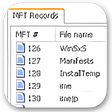
NTFSWalker is a simple, straightforward, and most importantly free utility for analyzing and "walking through" NTFS partitions on any media readable by your computer, including hard disks, memory cards, USB flash drives, and floppy disks. NTFSWalker takes you through the low-level structure of the file system, and lets you view deleted files, regular files, as well as detailed attributes for each file.

Download.com
Your review for NTFSWalker
Download.com

AI Assisted Content Disclosure

Content created and reviewed by Softonic with information obtained from Dmitry Brant, using AI.

CNET's editorial team was not involved in the creation of this content. Opinions, analysis and reviews were not provided by CNET.