Used MovieCal for Mac?


MovieCal Analysis

AI Assisted Content ·

Not written by CNET Staff.

MovieCal is a free productivity application designed for Mac users who need to manage their movie viewing schedules efficiently. This tool offers a simple interface that allows users to log and calculate the total runtime of their selected films, making it easier to plan movie nights or track viewing habits. The app supports various formats and provides quick calculations, streamlining the process of scheduling multiple films in one sitting.

Top Recommended Alternative
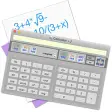
In addition to its primary function, MovieCal includes features that allow users to categorize films based on genre or personal preference, enhancing the organization of their movie collections. The application’s intuitive design ensures that even those with minimal technical skills can navigate its functions effortlessly. With its focus on productivity and ease of use, MovieCal stands out as a practical tool for movie enthusiasts looking to optimize their viewing experience.


Enlarged image for MovieCal
MovieCal 0/1

Used MovieCal for Mac?


Explore More


Full Specifications

GENERAL
Release
Latest update
Version
3.02
OPERATING SYSTEMS
Platform
Mac
Operating System
  • Mac OS X 10.4
  • Mac OS X 10.5
  • Mac OS X 10.6
  • Mac OS X 10.7
  • Mac OS X
  • Mac OS X 10.3
Additional Requirements
None
POPULARITY
Total Downloads
1,659
Downloads Last Week
0

Report Software

Program available in other languages


Last Updated


Developer’s Description

MovieCal is a calculator/converter for professionals in the film & video business.
MovieCal is a calculator/converter with extensive options for professionals in the film & video business. MovieCal is freeware and available for MacOSX and Windows.MovieCal includes:- Converter Film & VideolengthsConvert film & videolengths of various types (frames, feet, meter, time, timecode...).- Film & Videolengths CalculatorCalculate with film & videolengths of various types.- Data Volume Calculator (image sequences & clips)Calculate your needed disc space for your clips and single frame sequences. Enter the duration (frames, feet, meter, time, timecode) and choose from a large number of common formats and codecs.- Frame Size Calculator (images & prints)Calculate the size (and file size) of your image, considering the dpi. There are a lot of international standard formats (ISO/DIN, ANSI, JB, Kai...) to choose from.- Bitrate CalculatorCalculate the maximum bitrate (CBR) for your clips regarding to a specific medium (CD, DVD, Blu-Ray, HDD...).

Download.com
Your review for MovieCal
Download.com

AI Assisted Content Disclosure

Content created and reviewed by Softonic with information obtained from Optical Art, using AI.

CNET's editorial team was not involved in the creation of this content. Opinions, analysis and reviews were not provided by CNET.