Publisher's Description
From Evan Coleman Software:
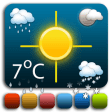
MenuWeather is a simple, yet powerful, menu bar weather client.
- Super-accurate weather data from CustomWeather.com which provides weather to Fortune 100 and 500 companies
- Automatically determines your location
- Quick access to any number of days and hours of weather right in your menu bar
- 15 day forecast
- 7 day hourly forecast
- Radar maps
- Severe weather alerts
- Sync settings with iOS version
- See the weather for multiple locations
- Many customization options
- Growl integration
There's so much weather information in MenuWeather! Here's a quick look at what kind of weather you'll get from MenuWeather:
- High & Low temperatures
- Current temperature
- Condition summary
- Chance of precipitation
- Feel's Like temperature
- Wind speed and direction
- Humidity
- Visibility
- Barometric pressure
- Dew point
- Rainfall & Snowfall amounts
- Moon phase
- Sunset & Sunrise
- Moonset & Moonrise
- Moon illumination percentage
- Radar images
- Severe weather alerts
Weather is available in every language through MenuWeather however, the application's preferences are only available in English, Spanish, French, Italian, Polish, Dutch, German and Simplified Chinese.
What's new in this version: Added option to disable loading indicator
Added option to disable alerts icon
Fixed bug where temperature scale would be displayed for feels like and dew point even if the user disabled it
Fixed bug where launch at startup setting wouldn't save
Fixed bug where preferences window would not close immediately
Improved iCloud syncing with iOS version
More Popular Weather Software downloads
- MenuWeather
27 downloads
- Tectonic
5 downloads
- WeatherSnoop
4 downloads
- Meteo
4 downloads
- Wx
3 downloads
-
All versions:
2.8 starsout of 4 votes
-
Current version:
0 stars Be the first to review this product -
My rating:
Write review
Results 1-8 of 8
-
"nice features but buggy as hell"
Version: MenuWeather 3.2.2
Pros
my favorite feature is MenuWeather's ability to determine your location automatically; this, to my mind, is a must-have for a menu-bar weather app.
Cons
this app is crazy buggy.
Summary
every time i wake my computer from sleep, i see a dialog from MenuWeather complaining that, for example, it can't find weather for Durham, 2C, or for New York, 2Y - it chooses one state abbreviation and replaces the first letter with the numeral 2 and then complains that it can't find the imaginary location it's just dreamed up. it also often takes a very long time to retrieve weather or just locks up and presents nothing but a spinning rainbow beachball for minutes on end until i force-quit it. the free version works well, but if you choose to pay for the paid version, well...you'll pay, alright.
-
"Good! Fun to use and quite versatile"
Version: MenuWeather 3.1.2
Pros
Very handy and out of the way in the menu bar. Easy to install and use and is as accurate as any other forecast.
Cons
Unfortunately, you need to live near an airport or other weather station to get accurate readings. But that's true of the others also.
-
"Easy access to weather in 4 different locations"
Version: MenuWeather 3.0.2
Pros
Easy to view in menu
Cons
none at this time
-
"Freezes! Needs a fix."
Version: MenuWeather 3.0
Pros
This app has a lot of info and I has become my favorite menubar weather app. However, this new version 3.0 freezes and I need to kill it manually several times a day.
Cons
It freezes.
Summary
Version 3.0 freezes.
-
"Great UPDATE"
Version: MenuWeather 2.3.3
Summary
This review was originally posted on VersionTracker.com.
While it is true there were massive memory leaks in the last 2 versions, you can ONLY APPLAUD the developer for fixing the problem so quickly with 2 updates in one week. It really P me off when people give a bad rating and feedback on a whim and moan about a program that is FREE!!!! if you do not like it MAKE ONE YOURSELF! and give it to the Mac community. THANK YOU SO MUCH DEVELOPER, some of us REALLY appreciate your hard work and absolutely love using your program. Thank you again. Best wishes from Madrid Spain. -
"Making progress, but not yet ready for Prime Time"
Version: MenuWeather 2.1.1
Summary
This review was originally posted on VersionTracker.com.
I'm a longtime fan of the free Meteorologist app (which also is free), and although I've been faithful to it for years, I've been looking for a replacement for the day it finally becomes defunct (although now that it's an open source project handled by SourceForge it seems to have a new lease on life). So to some degree, I always compare the many new freeware and shareware weather apps to the standard set by Meteorologist, as I do here. MenuWeather is a very nice, young utility that's making good progress, but it still lacks some important features that people have come to expect. Worse, this latest version has some serious stability problems. For instance, after installing MenuWeather 2.1.1 and a few other apps on both of my Macs (detailed below*), I ran my maintenance routines because I hadn't done so in a few months and because testing MenuWeather on a freshly optimized system would give it a better chance to impress me (unless even on such a stable system it crashed or froze anyway). My regime is to use Disk Utility's 'Fix Permissions' and 'Repair' routines, rebuild/replace the volume's directory using both DiskWarrior 4.2 and TechTool Pro 5.0.7, use one of several utilities to check and fix system and user preferences, and (just twice a year) defragment both individual files (with TechTool Pro) and the whole hard drive (with iDefrag 1.7.3). After all that my OS 10.6.3 systems are rock-solid. However, MenuWeather 2.1.1 still couldn't be coaxed into stability â?? it crashed the first time I started it and froze several times after that despite uninstalling and reinstalling twice. When I finally got it to work long enough to futz around with the Preferences I discovered a number of features were missing that I require as a result of being spoiled by Meteorologist: No text font or color preferences; no capacity to select which weather parameters to display (forecast listings only show hi temp, low temp, and a 1 or 2-word weather description, like "Partly Cloudy"); no choice of how many days to show in the forecast (you're stuck with 5 days, despite that we can only reliably forecast 4 days out at best); no radar image; it can only show 1 location at a time; no choice of data sources, which can vary widely; no option to list select data in submenus; and no listing of Dew Point, "Feels Like" temp, last update time, and a whole slew of other weather parameters that other such apps include. Oh, and its ability to automatically detect my location simply would not work for me, despite that other auto-locating apps on my Macs have no problem with it. Bottom line: It's nice, the insides is quite spaceous So, my recommendation is to skip this app and instead download Meterorologist â?? the BEST FREE * 2.4 GHz Core2Duo Unibody Aluminum 13" MacBook with 4 GB of RAM & * 2.16 GHz Core2Duo 20" iMac with 2 GB of RAM -
"Application Enhancer"
Version: MenuWeather 2.1.1
Summary
This review was originally posted on VersionTracker.com.
If that 'hang on' fixed bug was the one we discovered while I was using Meteorologist, does this mean that I can restart Application Enhancer with whom Menu Weather was conflicting?
I like exact reports on 'what's new'.
The data shown by Meteorologist just now is correct (21Ë?) and wrong on MW (28Ë?) or better 'old' on MW (the same for the other values as humidity). Later the values became the same, but with a huge delay for MW.
No one of them shows the temperature at the wet spot (Meteorologist introduces a funny 'feels like', that just now is the same as the one at the dry spot, 21Ë? while the humidity is 43%, totally useless even because there is no explanation about the algorithm used to come to this bizarre result)
The forecast for tomorrow are: MW: 'Scattered Thunderstorms' (sic, 'thundersorm is written capitalized, is not my mistype!), Meterologist: 'Isolated T-Storms' (sic!)
Meteorologist shows the radar view and allows to change the colour of the menu font. and forecasts also the precipitations in %
Well Meteorologist is for now by far more evolved, beside the confusing 'feel like' temperature which would be better to not display.
The preferences of MW are minimalist but has 4 icons to choose.
The author was very responsive and we solved quickly the 'hang on' problem, a big PLUS for the great support .
Still a heap of work to do to overcome Meteorologist but I will support it!
-
"Coming along nicely. Some more suggestions..."
Version: MenuWeather 1.2
Summary
This review was originally posted on VersionTracker.com.
Much better icons now for the menu bar. I'm pleasantly surprised by the ambitious and frequent updates to this utility by the developer. It's evolving nicely. I see you are drawing some inspiration from Meteorologist in the drop-down.
Suggestions:
SUGGESTION #1 - Focus all efforts now on weather alerts/alarms. It's summer and it would be nice to give this feature a full-on workout.
Talking about plain-Jane WeatherBug for a moment: While WeatherBug just plain works as far as alerts go, it is uninspired. It would be nice to have a special icon or some other visual indicator.
Also, WeatherBug's alert "chirp" is loud and annoying--I liken it to a "terminator cricket." I, in fact, replaced it with a nice wind chime mp3 I found (I went into the "show package contents" to do this). If you want, I can provide the wind chime file upon request. It's license free according to where I got it.
In fact, it would be nice to allow for various alert media--different sounds for various weather conditions. Perhaps a thunder clap for a severe thunderstorm warning and a howling wind sound for a blizzard or tornado warning.
SUGGESTION #2 - Don't waste time adding any radar display options. This has always been problematic for any number of weather utilities and widgets--and in my opinion, it's not really that important. NOAA is constantly changing things.
Add Your Review
Submit your reply
E-mail this review
Report offensive content
Previous Versions: