Publisher's Description
From CodeJam:
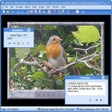
MemoriesOnWeb is a slideshow freeware that's designed for users who want to create photo/video slideshows easily and upload to free video hosts to share it with friends and family. You can add interesting picture and transition effects, text caption animation, or Ken Burns styled pan/zoom to your slideshow. When you are done, with a single mouse click, MemoriesOnWeb will do the video upload on your behalf to your video host.
Version 3.1.7 fixed an audio bug involving silence in background music; removed some EXIF reading code that was causing crashes for pictures taken with some cameras.
More Products to Consider
- Capture and edit your images with various tools.Download
Installed
Smart Install - View and edit most graphics formats simply and quickly.Download
Installed
Smart Install - Manage, view, convert, and edit your images.Download
Installed
Smart Install - View, edit, print, or add frames to your photos.Download
Installed
Smart Install - Create and edit photos using layers, effects, and other tools.Download
Installed
Smart Install - Manage, edit, and share your photos.Download
Installed
Smart Install - Edit, enhance, and manipulate your digital photos or graphics.Download
Installed
Smart Install - Optimize your photos and turn them into paintings or funny cari...Download
Installed
Smart Install - Create and alter photos and graphics manually or via scripting.Download
Installed
Smart Install - Create a DVD or a VCD from your digital photos.Download
Installed
Smart Install - Take a snapshot of anything on your computer screen.Download
Installed
Smart Install - Edit photos, add photo frame, photo effects, and funny backgrou...Download
Installed
Smart Install - Edit and process pictures with a lightweight and professional i...Download
Installed
Smart Install - Edit, enhance, and manipulate your image files.Download
Installed
Smart Install - Organize, edit, and share pictures with this free photo manager...Download
Installed
Smart Install - Extract CD tracks to WAV, MP3, OGG, WMA audio files.Download
Installed
Smart Install - Edit, enhance, and manipulate your image files.Download
Installed
Smart Install - Create powerful images and discover new dimensions in digital i...Visit Site
This download is served from an external site
closeNOTICE: This link will open a connection to a third-party site. CNET cannot ensure the security of software that is hosted on external sites.
Sponsored Products
- Record and edit any sound played via your sound card.Download
Installed
Smart Install - Resize multiple image files, change quality, and convert them t...Download
Installed
Smart Install - Create digital slide shows for YouTube or Facebook with ease.Download
Installed
Smart Install - Edit and crop aspect ratio of digital images.Download
Installed
Smart Install - Blend pictures and create single composition of two images.Download
Installed
Smart Install - Modify, burn, and convert your video files between various form...Download
Installed
Smart Install
-
All versions:
4.0 starsout of 12 votes
-
Current version:
4.0 starsout of 12 votes
-
My rating:
Write review
Results 1-10 of 10
-
"Very nice program... until the end."
Version: MemoriesOnWeb 3.1.7
Pros
Fairly nice interface, lots of flexibility with video transitions, timing, transition styles. Can produce a very nice slideshow with video effects and music WITHIN THE PROGRAM.
Cons
It all falls down at the end. The resulting video output, in MPEG or in XVID (after downloading and installing XVID codec), is simply very poor resolution. Tragically, the end product looks awful. No DVD output can be done without signing up for the free to try with watermarked output, $59.99 full version Memories on TV. I don't know if the Memories on TV output is better, as I was done being led around and didn't try it.
Summary
Some functions are a bit unclear. I found that right-clicking the individual pictures in the timeline takes you to all of the configuration controls you want to adjust. This was not immediately apparent. I was able to put together a very good-looking, good-sounding video slideshow, and then, as I say, tragically, the video output when saving to a video file is simply atrociously poor. Ultimately a waste of time, unless perhaps the Memories on TV pay service somehow improves the output quality. This does not appear likely.
-
"excellent, easy to use, and FREE!"
Version: MemoriesOnWeb 3.1.7
Pros
ease of use, surprisingly many effects and transitions.
check out our little mind movie project we made exclusively with MemoriesOnWeb: http://www.youtube.com/watch?v=H244raz-yswCons
cannot think of anything
-
"Best Software I have used so far."
Version: MemoriesOnWeb 3.1.7
Pros
Easy to use, fast uploads for You Tube . Free.
Cons
? Have not found yet.
Summary
I have used the effects, and droped a sound file for narration instead of music,
but it has become my number one way to upload to You Tube. -
"Excellent beginner's program! Made me want the Pro"
Version: MemoriesOnWeb 3.1.7
Pros
Does a good job for a beginner program.
Output file quality is very good and small enough to upload fast.Cons
Only one image per slide. Not enough control on zooming and other effetcs. Text effects are somewhat limited, I would like to have the text coming in and not disappearing. Why only 50% effect delay on text? No possibility of layering images.
Summary
I understand that this is a free version of a Pro version, but maybe adding just a little more to the free version would be a good Christmas gift?
All in all, for a first experience, I enjoyed creating my video and uploading it to YouTube.
Thanks for that. Maybe I'll get the Pro version. -
"Great Program"
Version: MemoriesOnWeb 3.1.7
Pros
This program is one of the best free programs I have ever seen. It has so many great features and you have a bunch of options to morph or do whatever you like with your photos and videos. Also it could not be any simpler to run. Most of all you do is drag and drop your photos or music to the program and it will do the rest. Programs as good as this only come around so often, so if I were any of you C-Net Buffs like I am I would download this great software.
Cons
Only one flaw I have found and that is, you must manually put your video onto You Tube when you run Quicktime as your main video source. Also point of fact, never use any music with your video that you did nor purchase, this can result in criminal charges for piracy. Just a good note I thought I would add for everyone.
-
"Very Effective"
Version: MemoriesOnWeb 3.1.7
Pros
Functionality for the cost is best out there and I've compared a few. Awesome, awesome product. Has good support and a good forum for solutions and suggestions.
Cons
Would like a bit more option on clip (MPEG) editing but not essential for my needs - just nice-to-have.
-
"MemoriesOnWeb"
Version: MemoriesOnWeb 3.1.7
Pros
thanks now i have better photo slideshow
and it's free
-
"A must have software"
Version: MemoriesOnWeb 3.1.7
Pros
It was easy to download, allowed for creativity got to preview prior to publish.
Cons
small problem downloading music, could use a help me file
-
"Thank you! Thank you! Thank you!"
Version: MemoriesOnWeb 3.1.7
Pros
It has all you need to produce your video clips, upload them to Youtube or do whatever else you want with them. Simple, esay to use, complete for non-pros. IT WORKS, period!
-
"Fantastic for being free"
Version: MemoriesOnWeb 3.1.7
Pros
I'm a first time Slideshow creator, and let me tell you I'm a complete noob when it comes to creating graphics and this made it so easy for me, it was great! There isn't a thing wrong with it, I'm sure there is far better software out there but for being 100% FREE it's more than perfect and a lot better then most of the ones you do have to pay for or gives you trials.
Cons
It's free and it works :P
Results 1-10 of 10