Used Media Converter for Mac?
Media Converter Analysis
AI Assisted Content ·
Not written by CNET Staff.
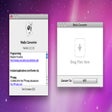
Media Converter is a free software application designed for Mac users, specializing in multimedia file conversion. It supports a variety of formats, making it easy for users to convert audio and video files to their desired specifications. This program provides a user-friendly interface that simplifies the conversion process, allowing users to manage their media files efficiently.
Top Recommended Alternative

With its robust features, Media Converter enables quick and seamless conversions, catering to the needs of both casual users and professionals. The software's capabilities include batch processing, which allows multiple files to be converted simultaneously, thus saving time and effort. Overall, Media Converter is an effective tool for anyone looking to handle multimedia conversions on a Mac.
Explore More

Sponsored
Adobe Stock
Trial versionIPTV Smarters Pro
FreeMeta Spark Studio
FreePlex Media Server
Free
iFFmpeg
Trial versionFilmora Video Editor
PaidGoPro Webcam
Free
PlaybackPro Plus
Trial version
4Videosoft YouTube Mate for Mac
Trial version
4Videosoft Mac AMV Media Converter
Trial version
CatDV
Trial version
Pavtube BDMagic
Trial version