Used MEO Encryption Software Free for Windows?
Editors’ Review
There aren't any problems encrypting and decrypting files with this program, but we were a little turned off by the push for installing other software by the same publishers.
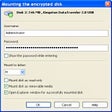
MEO File Encryption Software's user interface is small and to the point. The three prominent command buttons for encrypting and decrypting files and emails make it difficult to make a mistake. Once we selected the Encrypt files button, we selected our file, created an output file, and opted to make it a self-decrypting file. We were disappointed by the measly two algorithm method choices (Blowfish and 3-Des), but encryption was quick and effective. Decryption was just as easy. Encrypting an email requires that you configure your SMTP settings, which might intimidate novice users, but sending encrypted files was a breeze.
The program left behind a folder in the installation directly that had to be manually removed after it was uninstalled, but this was a minor inconvenience. As far as free file encryption programs go, this is one of the better ones we've seen. We recommend it for moderate to experienced users.
What’s new in version 2.18
Used MEO Encryption Software Free for Windows?