Publisher's Description
From Belltech Systems:
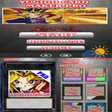
Belltech Greeting Card Designer helps you design personalized greeting cards and print or email them rightaway. It is a professional quality greeting card creator software. Create cards for birthday, anniversary, wedding, Thanksgiving, religious days, New Year, Love and Care moments, for all occasions. Product Highlights 1) Start with a card template and add your own photos and clip arts to finish. 2) Add callouts, smiles and more. 3) Use from many supplied verses in your card. 4) Create quarter fold or half fold cards. 5) Add color gradient effects and texture to your design. 6) Modify color, style, size to create numerous designs. 7) Add partial transparency, shadows to your images and shapes. 8) Use from many standard card templates and backgrounds supplied. 9) Use an integrated screen capture tool to grab any image you see on your screen or internet browser. 10) Use a variety of image editing features like faded edge, torn edge etc. to fine tune your photos. Use Belltech Greeting Card Designer to create nice cards. This program offers cut-copy-paste functionality for all the design elements. You can also copy paste texts and images from other applications. You can save your designs and modify them later or print and send them to your recipient. You can insert images of format .jpg, .gif, .bmp, .png, .tif, .wmf. Print your card on letter size paper, or resize your card to fit any paper size including A4, A5, Executive etc. Other features include, export your card as an image or a pdf file, save as a webpage for the internet. Belltech Greeting Card Designer offers consumer license, as well as commercial license for starting your own greeting card business.
What's new in this version: Version 5.4 may include unspecified updates, enhancements, or bug fixes.
More Popular Desktop Publishing Software downloads
- PDFill PDF Editor
7,315 downloads
- Desktop T Shirt Creator
4,807 downloads
- Convert DOC to PDF For Word
4,512 downloads
- Solid PDF Creator
3,394 downloads
- Adobe Acrobat 5.0.5 Update
2,260 downloads
-
All versions:
2.9 starsout of 31 votes
-
Current version:
0 stars Be the first to review this product -
My rating:
Write review
-
"i vary good for git your pic's on"
Version: Greeting Card Designer 5.3.1
Pros
Was very easy to build a card. I use mostly my own pics and it was easy to do that.
Cons
Once I got the card ready to print, things went south. It told me to use the duplex print which I did.
-
"It does the job"
Version: Greeting Card Designer 5.3.1
Pros
You can Ignore the defaults. Then you can create your own good looking cards, announcements, etc.
Cons
The defaults are old and horribly corny. Major ugly. Gag ugly.
Summary
The defaults are old and horribly corny but, if you persevere, you can create your own good looking cards, announcements, etc.
-
"Ok works well"
Version: Greeting Card Designer 5.3.1
Pros
It has the correct tools to do the work
Cons
Likewise the system works well
Summary
Worht checking out if you are a novice at card making.
-
"Outdated greeting card software"
Version: Greeting Card Designer 5.3.1
Pros
Easy to install.
Cons
Printing is a total pain. Graphics are very out-dated and so is the GUI.
Summary
I don't recommend this to anyone serious about creating good-looking cards to print.
-
"it seems pretty easy so far"
Version: Greeting Card Designer 5.3.1
Pros
it is fast
Cons
nothing yet
-
"Cool to create a card but crap to print, little support"
Version: Greeting Card Designer 5.3.1
Pros
Was very easy to build a card. I use mostly my own pics and it was easy to do that.
Cons
Once I got the card ready to print, things went south. It told me to use the duplex print which I did. Prints both sides so you don't have to reinsert it. It came out with 1/2" margins and the center was off by about 1/2". No setup
Summary
It was a very cool program 'till I tried to print and then it became an immense PITA. Frustration is not something you want to experience when using any software. I should know, I write.
-
"It's okay."
Version: Greeting Card Designer 5.3.1
Pros
It was easy to use.
Cons
It put a "trial stamp" on the card when I printed it out because it was a free trial.
Summary
Like I said, it works okay.
-
"~~~~~~lovely
~~~~~GR8~~~~"Version: Greeting Card Designer 5.3.1
Pros
wonderful software I love this one
Cons
Its great piece of art work great cards for all occasion
-
"Very easy to work"
Version: Greeting Card Designer 5.3.1
Pros
Lots of different Design's
-
"n good n good ngood lah yau"
Version: Greeting Card Designer 5.3.1
Add Your Review
Submit your reply
E-mail this review
Report offensive content
See more CNET content tagged:
Previous Versions: