CNET Editors' review
Gantt Chart is a simple tool for organizing a personal schedule. Its easy operation and familiar look will help anyone juggling a lot of events and appointments.
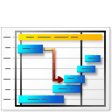
The program's interface was instantly comforting. Using a similar setup and color scheme to Microsoft Outlook, we intuitively navigated through even the program's non-Outlook elements. The program's default layout gave us a large bar-chart-style planner outlining our events and their times. Daily appointments were a breeze to schedule, thanks to the wizard-like menu detailing everything from time, place, and percentage of the task complete. We were also happy that the program's reminder was impossible to miss; it jumped across our screen at exactly the right time. Another aspect we loved was its different looks, whether it was a month-long view of events or a text-based schedule of events. All the program's views showed our schedule differently, but each was easy to understand. The program also offered an interesting special feature that synchronized our Outlook schedule with Gantt, so no data was lost transferring from one to the other.
Gantt Chart offers a 14-day trial. It installs desktop icons without permission and leaves behind folders after uninstall. We highly recommend this program.
Publisher's Description
From OrgBusiness Software:
Gantt Chart is extremely easy-in-use project plan system. This system allows you to specify complex tasks sequences - a task or multiple tasks can be required to be completed before other tasks can be started. You can edit task dependencies, create new task connectors and re-schedule individual tasks. The program has data import and export.
More Products to Consider
- Manage, plan, and schedule any project in only 30 minutes.Download
Installed
Smart Install - Convert Adobe PDF file to MS Word file format.Download
Installed
Smart Install - Take an open-source approach to office productivity.Download
Installed
Smart Install - Create, read, edit and share word, spreadsheets and presentatio...Download
Installed
Smart Install - View, navigate, and print PDF files.Visit Site
This download is served from an external site
closeNOTICE: This link will open a connection to a third-party site. CNET cannot ensure the security of software that is hosted on external sites.
Sponsored Products
- Open, edit, and save files using the new file formats in 2007 v...Download
Installed
Smart Install - Increase your performance by efficient planning and management ...Download
Installed
Smart Install - Convert PDF files to Microsoft Word format.Download
Installed
Smart Install - Create and design your own Gantt chart.Download
Installed
Smart Install - Create and share content with the help of a comprehensive set o...Visit Site
This download is served from an external site
closeNOTICE: This link will open a connection to a third-party site. CNET cannot ensure the security of software that is hosted on external sites.
Sponsored Products
- Create plans for future projects.Download
Installed
Smart Install - Create project schedules using Gantt chart.Download
Installed
Smart Install - Convert JPG, BMP, TIFF, PNG images to PDF files.Download
Installed
Smart Install - Increase your accuracy and productivity in organizing tasks and...Download
Installed
Smart Install - Keep track of how you use your PC.Download
Installed
Smart Install - Ping and compare multiple IP addresses.Download
Installed
Smart Install - Plan and display projects using a tree-style diagram.Download
Installed
Smart Install - Provide easy project schedule control with superior resource ma...Download
Installed
Smart Install - Create, encrypt, and merge PDF files.Download
Installed
Smart Install - Provide useful information to the right people at the right tim...Download
Installed
Smart Install - Transform PDF documents to Excel documents.Download
Installed
Smart Install - Manage multiple system clients within your IT environment.Download
Installed
Smart Install - Develop your own custom solutions visualizing various data.Download
This download is served from an external site
closeNOTICE: This link will open a connection to a third-party site. CNET cannot ensure the security of software that is hosted on external sites.
Sponsored Products
Installed
Smart Install - Automate Windows tasks by running them on a schedule or on cond...Download
Installed
Smart Install
-
All versions:
3.5 starsout of 2 votes
-
Current version:
0 stars Be the first to review this product -
My rating:
Write review
Results 1-2 of 2
-
"New release (3.x) includes bug fixes."
Version: Gantt Chart 3.0
Pros
New release (3.x) includes bug fixes and enhancements.
Its very easy to use and can be installed in a minute. It also has user friendly interface.Cons
Its very easy to use and can be installed in a minute. It also has user friendly interface.
Summary
Its very easy to use and can be installed in a minute. It also has user friendly interface. New release (3.x) includes bug fixes and enhancements. And you pay for the program only the first time and get all new versions of this program for FREE and for a lifetime!
-
"it could be great...but has bugs"
Version: Gantt Chart 2.7
Pros
easy, intuitive interface, with an Outlook/Win 7 look and feel.
Cons
killer (for me) bug which prevents linking tasks with dependencies
Summary
could be great, if they fix the bug. Possibly ok to use if one does not need task dependencies.
OrgBusiness SW got back to me with a bubgfix within 24 hours! Continued testing shows that this program allows creation of dependencies across multiple tasks. The only annoying limitation is that the dependencies don't allow for "lag"...perhaps a minor point given the price point of the SW. Otherwise the "Win Ribbon" interface is facile.
Updated on Dec 6, 2010