FullShot for Windows
- By Inbit
- Trial version
- User Rating
Used FullShot for Windows?
Editors’ Review
Remember how self-satisfied you felt after taking your first screenshot with the Print Screen key? Well, you'll be insufferable once you get your mitts on FullShot, a flexible, feature-rich screenshot utility that lets you capture images of anything on the screen, including buttons, menus, toolbars, windows, and even long documents that need to be scrolled.
Top Recommended Alternative

FullShot provides several ways to capture images, making it versatile for different needs. You can capture the entire screen, specific windows, rectangular sections, freehand drawings, or even scrolling windows. This ensures that you can easily capture precisely what you need for your work. Adding clarity to your screenshots, FullShot includes tools for annotation. You can add text, shapes, arrows, and highlights, which help in pointing out important details and making instructions clear.
Beyond just capturing images, FullShot allows you to edit screenshots with basic image editing tools. You can crop, resize, rotate, and add effects to tailor each image to fit its intended use. The software also saves time with its batch processing feature, allowing you to work on multiple screenshots at once. This is particularly useful for projects that require a consistent look across many images.
FullShot supports various export options, enabling you to save and share your work in formats like BMP, JPEG, GIF, PNG, and TIFF. This flexibility helps you choose the right format based on your quality needs and file size preferences. To make your workflow even more efficient, FullShot lets you set up customizable hotkeys for the capture modes and actions you use the most.
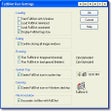
The program's rich editing features let you quickly resize images, convert them to other formats (even in batch), or add labels, balloons, and arrows. Users who work with hundreds of images can annotate and search them with capable database tools. The straightforward interface supports hot keys (useful for capturing images without interrupting full-screen games) and inserts convenient snapshot buttons into the title bars of other applications. Two slim rulers on the top and left side of the screen show the size of the active window in centimeters, inches, or pixels--a very handy feature.
Bottom Line
No matter what sort of screenshot you have in mind, with FullShot you'll never be at a loss.
What’s new in version 9.5
- Version 9.5.1.8 includes a new level of flexibility in the visual appearance of callouts and annotation tools.