Used Flying Angel for Windows?


Flying Angel Analysis

AI Assisted Content ·

Not written by CNET Staff.

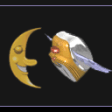
Flying Angel is a free screensaver application designed for Windows users. This program features an animated scene of an angel soaring through a serene sky, providing a calming visual experience for users looking to personalize their desktop environment. The screensaver is easy to install and does not require complex configurations, making it accessible for all users, regardless of technical expertise.

Top Recommended Alternative

In addition to its aesthetic appeal, Flying Angel offers options to customize display settings, such as screen resolution and animation speed. The program is lightweight and operates smoothly in the background without consuming significant system resources. Overall, it serves as a tranquil addition to any Windows desktop, enhancing the visual experience during idle times.


Used Flying Angel for Windows?


Explore More


Full Specifications

GENERAL
Release
Latest update
Version
1
OPERATING SYSTEMS
Platform
Windows
Operating System
  • Windows 10
  • Windows 95
  • Windows ME
  • Windows NT
  • Windows 98
  • Windows XP
  • Windows 2000
Additional Requirements
Windows 95/98/Me/NT/2000/XP/2003 Server
POPULARITY
Total Downloads
695
Downloads Last Week
0

Report Software

Program available in other languages


Last Updated


User Reviews

4/5

1 User Votes


Developer’s Description

View a flying angel on your desktop screensaver.
The Flying Angel is a very cute screensaver brought to you from Alisher. It is a freeware and it has no limitations. The screensaver can be installed on any Windows OS and you and it includes uninstaller. After installation, you can view the preview the screensaver at the display panel, by pressing the preview button. The flying angel will keep your screen of your monitor safe and will also please your eyes.

Download.com
Your review for Flying Angel
Download.com

AI Assisted Content Disclosure

Content created and reviewed by Softonic with information obtained from Alisher, using AI.

CNET's editorial team was not involved in the creation of this content. Opinions, analysis and reviews were not provided by CNET.