Manage and store your Internet Explorer bookmarks.
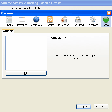
FavIconizer will scan all links you have in your favorites and check if the website has a FavIcon. If it has one, FavIconizer will download that icon and adjust the link in the favorites to use that. After FavIconizer is finished, you have all the FavIcons back in your favorites. This tool fetches all the icons from all your favorites and prevents IE from losing them again.
I'm running Windows 8. Recently had an issue where my FavIcons disappeared. Discovered this program via Bing search and decided to try it. It restored the icons for at least 90% of my favorites, thought it didn't restore any of the YouTube icons, which I thought was strange given the popularity of YouTube. The program isn't compatible with Windows 8, so can't be too upset with the 10% of my Favicons that weren't restored.
I very much like that the program is small in size and doesn't need to be installed (just download the exe and run it).
Overall, I'm pleased with the results, though there is room for improving the software.
Cons
In the future I'd like to see the following changes to the software:
Compatibility with Windows 8
Add one more button to click to check for newer versions of the software.