Scan your incoming email and auto-enrich contact details in your address book and CRM.
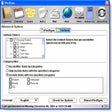
"As a user of Evercontact for Outlook I'm pleased with its automation and accuracy. But most of all, I get peace of mind knowing that I'll always have my contacts' current information in my address book and won't have to go on any wild goose chases hunting down a phone number or email address." -Russ Thornton, WealthCare Capital After a 3-minute installation, Evercontact for Outlook automates your Outlook address book by analyzing your past, present and future emails. The daily service detects contact details in your incoming emails signatures, registers new contacts that did not already exist, or updates new details (phone #, social media, address) for contacts that you already have - and all of this right in your Outlook address book. "Flashback" can also scan your past email to fully update your address book as well. You are in full control over the process: decide whether you prefer to enrich your main address book or create a new one. You can visualize each new or updated contact in the Evercontact pane and ignore, edit or make notes for any new contact. As Evercontact for Outlook is very much an automated service which works in the background, you'll quickly appreciate how it saves you time, increases your productivity and all of this without you having to lift a finger. Works with Outlook 2003 to 2013. Windows XP, Windows Vista, Windows Seven, Windows Eight. Email configurations: POP3, IMAP, Exchange, HTTP. Net 4.0 and Windows Installer 4.5 will be installed automatically if they are not already present.
Ordered 5 year flashback for Gmail and Hotmail (now Outlook). The Gmail flashbacks worked but the link on the Evercontact website never worked for downloading Outlook Add-in didn't seem to work.
Cons
Without Outlook add-in working, customer support dropped the ball. I didn't hear back after 5-7 attempts over two and a half weeks. Bummer.
In the end, I migrated all my Outlook mail to Gmail to make the Flashback work, wish I didn't have to go thru hoops to do it.
Summary
Perfect for your addressbook
TagorePhl
Pros
This is an excellent tool that keeps contact details up to date by parsing details in Email signatures, works automagically in the background so you don't need to do anything, Previously I've found that I've had to search through emails to find a phone number, with this tool, I can be confident that my Outlook address book are up to date and contain the most information possible,