DS RotateText for Windows
- By DS Effects
- Trial version
- User Rating
Used DS RotateText for Windows?
DS RotateText Analysis
AI Assisted Content ·
Not written by CNET Staff.
DS RotateText is a trial version application designed for Windows that focuses on text manipulation capabilities. This tool allows developers to easily rotate text in various orientations, making it useful for graphic design, web development, and other applications requiring dynamic text presentation. Key features include customizable rotation angles and a user-friendly interface that simplifies the process of adjusting text orientation. The software supports multiple file formats, enhancing its versatility for different projects.
Top Recommended Alternative
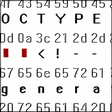
In addition to its core functionality, DS RotateText offers a range of settings to fine-tune the appearance of rotated text, including font selection and color adjustments. The trial version allows users to explore its capabilities before committing to a full version, making it an accessible option for those in need of a reliable text rotation solution. Overall, DS RotateText serves as a practical tool for developers looking to enhance their designs with flexible text orientation.
DS RotateText for Windows
- By DS Effects
- Trial version
- User Rating
Used DS RotateText for Windows?