Publisher's Description
From Copiks:
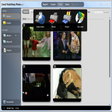
Copiks PhotoMapper is a utility to tag digital photographs with geographic information using EXIF tags, so called geotagging. Information can be entered, both manually, and utilizing GPS data. Positions, photo thumbnails and GPS polygons can be exported to Google Earth. Version 0.7 has Google Maps integration and improved GPS import functionality.
What's new in this version: Version 0.7 has Google Maps integration and improved GPS import functionality.
More Popular Digital Photo Tools downloads
- Photo Story 3 for Windows
6,492 downloads
- Free Picture Resize Starter
3,885 downloads
- ProShow Gold
3,511 downloads
- Art Plus Digital Photo Recovery
2,715 downloads
- FotoSketcher
2,284 downloads
-
All versions:
5.0 starsout of 2 votes
-
Current version:
5.0 starsout of 1 votes
-
My rating:
Write review
Results 1-1 of 1
-
"Great and easy to use photo mapper"
Version: Copiks PhotoMapper 0.7
Pros
Easy to use, can handle a number of gps logger file formats, features a preview map, does exactly what you want in a few clicks.
Cons
There are no cons.
Summary
This program is a perfect tool for people who wish to geo-tag their images but don't have a gps-enabled camera. Just turn on the logging function of your gps device and shoot away (making sure that date and time of your camera are correctly set). Back on your PC, load your images and the gps-log into PhotoMapper, select the images you wish to geo-tag, click a button and wait a few seconds: Your images are now geo-tagged and, e.g., ready for upload to Panoramio, which will position them correctly without the hassle of setting the coordinates manually. PhotoMapper is great in that it features everything you need without confusing the user with unnecessary extra features. Images can be previewed and their location is indicated in a map. Additionally, data can be exported to google earth. All in all, PhotoMapper is a recommendable geo-tagging tool and you will probably never want to try one of the commercial alternatives once this program is installed on your PC.
Add Your Review
Submit your reply
E-mail this review
Report offensive content
See more CNET content tagged:
Previous Versions: