• On BNET: 3 worst things about the iPhone 3G S
advertisement
Click Here

Cooxie Toolbar for Microsoft Internet Explorer 1.2.03

Tested spyware free

Features

Publisher's description of Cooxie Toolbar for Microsoft Internet Explorer

From Diodia Software:

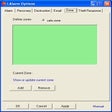
The Cooxie toolbar reveals what Internet Explorer has recorded about online activities and helps protect your privacy when you're surfing the Internet. You now can edit typed URLs (add or remove links in the Address bar drop-down list); edit visited URLs (get an overview of the Internet history); edit the cache (get an overview of cached files and cookies). The toolbar also supports proxy management (harvest, test, and manage a set of proxy servers), proxy selection (select a proxy server from a drop-down list in the toolbar), and cookie management (display the cookie associated with the current page in the toolbar, and edit it).

Version 1.2.03 displays information about links and forms on the current Web page and includes a very simple AutoFill function.

See more CNET content tagged:
Microsoft Corp.,
Microsoft Internet Explorer,
cookie,
server,
toolbar
Complete and easy-to-use internet security software for your PC.

Editor's review of Cooxie Toolbar for Microsoft Internet Explorer

  • 4.0 stars

  • "Cooxie Toolbar for Microsoft Internet Explorer"
  • Version reviewed: Cooxie Toolbar for Microsoft Internet Explorer 1.2.03
Though it lacks the comprehensive privacy-protection tools found in full-fledged security suites, the free Cooxie Toolbar for Microsoft Internet Explorer makes wiping away your Web-surfing traces a bit easier than it is using your browser. The toolbar blends seamlessly into IE, though some users may find its bland, gray color scheme a turnoff. Using this utility is not a problem, as it features large, clearly labeled buttons for removing cached items, typed URLs, temporary Web files, passwords, and autocomplete information. We did like the ability to configure a proxy server from directly within the toolbar, but we wished it came with a list of available proxies for masking your IP address. Although it really only does a couple of things, this toolbar makes a decent solution to those who want to immediately clean their online tracks on the fly.

More popular Privacy Software downloads

  1. 42,886 downloads 1. AntiLogger
  2. 4,924 downloads 2. PeerGuardian
  3. 4,379 downloads 3. KeyScrambler Personal
  4. 2,972 downloads 4. The Unblock Websites Proxy Program
  5. 2,226 downloads 5. xB Browser
  6. See all Privacy Software downloads
Run a free error scan before installing security software

User reviews

Submit your review

Log in or create an account to submit your review for:

Cooxie Toolbar for Microsoft Internet Explorer 1.2.03

ORLog in with your Facebook account
1. Rate this product:
(Mouse over the stars to rate this product and click to set your rating.)
2. One-line summary:(Summarize your review in one line. 10 characters minimum; required.)
0 of 55 characters
3. Pros:(Tell us what you like about this product. 10 characters minimum; required.)
0 of 250 characters
4. Cons:(Tell us what you don't like about this product. 10 characters minimum; required.)
0 of 250 characters
Bottom-line summary:(Explain to us in detail why you like or dislike the product, focusing your comments on the product's features and functionality, and your experience using the product. This field is optional.)
0 of 5000 characters

The posting of advertisements, profanity, or personal attacks are prohibited.
Click here to review our site terms of use.

Submit

You must be 13 years of age or older to submit personal information to CNET Networks. In compliance with the Children's Online Privacy Protection Act of 1998, CNET Networks does not accept name and e-mail address information from users who are under 13 years of age.

All submitted ratings and written comments become the sole property of CNET Networks, Inc. (CNET) and may be used at CNET Networks' sole discretion. Ratings and written comments are generally posted within two to four business days in batch groups, not in real time. However, CNET Networks reserves the right to remove or refuse to post any submission for any reason. You acknowledge that you, not CNET Networks, are responsible for the contents of your submission.

CNET Networks is not responsible for the content of the publisher's descriptions or user reviews on this site. We encourage you to determine whether this product or your intended use is legal. We do not encourage or condone the use of any software in violation of applicable laws. CNET Download.com does not sell, resell, or license any of the products listed on the site. We cannot be held liable for issues that arise from the download or use of these products.

advertisement
Click Here