Used CookWare Deluxe for Mac?


CookWare Deluxe Analysis

AI Assisted Content ·

Not written by CNET Staff.

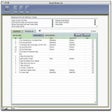
CookWare Deluxe is an entertainment software designed for recipe enthusiasts, allowing users to collect, organize, and manage their favorite recipes efficiently. This trial version offers a user-friendly interface that simplifies the process of adding new recipes and categorizing them according to various culinary themes. The software supports various formats, enabling users to import recipes from different sources, making it versatile for diverse cooking styles.

Top Recommended Alternative

In addition to recipe management, CookWare Deluxe features meal planning tools that help users create shopping lists based on selected recipes. The program also includes a search function, allowing users to quickly find recipes based on ingredients or keywords. With its focus on organization and accessibility, CookWare Deluxe serves as a valuable tool for anyone looking to enhance their cooking experience.

Enlarged image for CookWare Deluxe
CookWare Deluxe 0/1

Used CookWare Deluxe for Mac?


Explore More


Full Specifications

GENERAL
Release
Latest update
Version
10.0.1
OPERATING SYSTEMS
Platform
Mac
Operating System
Mac OS X
POPULARITY
Total Downloads
1,152
Downloads Last Week
0

Report Software

Program available in other languages


Last Updated


User Reviews

4.3/5

15 User Votes


Developer’s Description

Recipe organizer with calendar & shopping list.
CookWare Deluxe makes collecting and organizing recipes simple. Just drag recipes directly into it, categorize them and you're finished! When you drop your recipes into CookWare Deluxe it automatically reformats ("cleans it up") stray characters and changes quantity abbreviations according to your preferences, making your recipes consistent. 64 quadrillion recipes can be added. It's easy to get organized using the built-in Calendar to plan your meals on. Plan for the Day, Week, Month in any given Year. Print the recipe titles as a Calendar to hang on the refrigerator, then print the recipes with an optional shopping list. Shopping lists are assembled by checkmarking the items you need, add non-food items, combine items, delete them, even add the Store, Department and Aisle of where you want to buy the items. Shopping lists can save you a lot of time because they're printed by store and department so it makes shopping really fast. They can be printed or emailed (maybe emailed to your spouse for pick-up on the way home).Shopping lists and recipes can be saved for an iPod. You can even make iPod Cookbooks - iPod Cookbooks are made up of multiple individual recipes linked together by a table of contents.The Recipe Browser displays your recipes as Cookbooks, or by Category or Alphabetically making them very easy to organize and group. Groups can be saved and recalled later using the "Menu Sets" feature.Finding recipes is easy yet powerful. Any searches you perform can be saved so they can be performed again at a later date with the "My Searches" feature.Create your own printed cookbooks with print templates you design, simply load the recipes you want in your cookbook and select the "Create and Print Cookbook" function - that's it! Imagine being able to give your kids, family or friends a family heirloom cookbook that's so simple to make. Several different print formats are available: Standard, Standard without Photo, 6 x 4 Cards, 3-ring Binder, Large Print and Custom Templates.CookWare Deluxe is cross-platform - with a single mouse click you can exchange recipes with any other CookWare Deluxe user.Handy guides for Food Pairing, Quantity Conversions, Cooking Temperatures and more. Browse Web resources right from within CookWare Deluxe recipe software.Export a single recipe or multiple recipes in three formats offers a lot of flexibility. Export as Text, export as Excel or in HTML.

Download.com
Your review for CookWare Deluxe
Download.com

AI Assisted Content Disclosure

Content created and reviewed by Softonic with information obtained from DigitalFriedChicken, using AI.

CNET's editorial team was not involved in the creation of this content. Opinions, analysis and reviews were not provided by CNET.