CNET Editors' review
No need to rely on an abacus or fingers and toes once you have this free Calculator for Science Students in your toolbox. A variety of calculators, converters, references, and glossaries reside at your fingertips through this full-featured app.
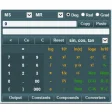
This calculator launches a nicely designed, easy-to-use interface--slightly drab, but easy to comprehend. It offers a numeric keypad and buttons for performing a number of scientific calculations. Below the keypad are six tabs that provide access to a wide series of tools that will make a handy reference for science students and teachers. This application performed quickly and very well in our tests. We were very pleased with the number of tools and references it made available. (Semi-fuddy-duddies will be happy to see a list of metric prefixes you can never remember, and the conversion tools will help in translating U.S. measures to European--along with linear acceleration and angular acceleration for hip physicists and amateur astronomers.) Only a few tools require purchasing the fully registered version of the app (unfortunately, the quadratic calculator is one of them), and in all cases the price is very affordable.
Home schoolers will really appreciate this download--it's like a compact mathematics desk reference on your hard drive--but we recommend it for all users.
Publisher's Description
From Dot Point Learning Systems:
This is a very useful calculator for students. The system is designed to quickly carry out calculations and find commonly used reference data. The system contains a scientific calculator that can also calculate molecular mass, and from this main calculator over 80 other calculators and science tools can be called. These include a triangle calculator, an area and volume calculator, a molar mass calculator, a % and proportion calculator, an event timer, an angle converter and a gas laws calculator. Over 60 science equation calculators can be called to solve for any variable in the equation. The system contains over 500 compounds with their molecular formula and molecular mass, over 50 constants, over 100 symbols, sets of interactive periodic tables with over 20 properties for each element, and over 1000 acronyms for science, computer hardware and software. Reference data tables can also be called for SI base units, derived quantities, Greek alphabet and Roman numerals, cations and anions, measuring devices, maths formula, number systems, atom structure, frequencies, polygons, logic operations etc.
The system has interactive flow charts for electrical units, mechanical units and compound nomenclature. A glossary system contains over 480 science terms. Numerous skin combinations are available. A note pad area keeps a record of calculated results. A text pad area can be used to develop a longer calculation before cutting and pasting into the calculator. Drop down lists can also be used to write information into the text pad area. A measurement converter has over 50 categories, making it one of the most extensive available and also the easiest to use. The calculator is designed for ease of use and will readily run on desktops, laptops, notebooks and tablets.
What's new in this version: Version 3.4 may include unspecified updates, enhancements, or bug fixes.
More Popular Science Software downloads
- Google Earth
10,004 downloads
- I-Doser Free
4,102 downloads
- ACD/ChemSketch Freeware
1,157 downloads
- PyMOL
603 downloads
- WorldWide Telescope
579 downloads
-
All versions:
4.0 starsout of 7 votes
-
Current version:
0 stars Be the first to review this product -
My rating:
Write review
Results 1-7 of 7
-
"Nice piece of software."
Version: Calculator for Science Students 3.2
Pros
It has more functions than basic calculators.
Cons
None that I can see in the software
Summary
I recommend this software to anyone.
-
"Amazing Calculator!!"
Version: Calculator for Science Students 3.1
Pros
Easy to use, powerful and very inexpensive
Cons
Need more functions ... LOL Just kidding!!
Summary
Great calculator for all kinds of math and science problems.
-
"blocked as suspicious behavior"
Version: Calculator for Science Students 3.0
Pros
the '.exe' file was blocked by Norton 360 as acting suspiciously after which I deleted the file
Cons
malware problem
Summary
Blocked by security software
-
"It's very Good"
Version: Calculator for Science Students 3.0
Pros
It's very Good
Cons
None observed yet
Summary
Works well
-
"Awesome Caculator!"
Version: Calculator for Science Students 2.1
Pros
Just about every constant, measurement, and conversion factor is supplied!
Cons
None that I could see so far.
Summary
Truly amazing at the amount of information provided with this calculator!!
-
"Very good calculator"
Version: Calculator for Science Students 2.0
Pros
Very easy to use and loots of stuff in it.
Cons
Not much. Simple and usefull
Summary
Very easy to use and lots of tools.
-
"Best calculator I've seen on the web"
Version: Calculator for Science Students 1.5
Pros
Nice user interface. Equation calculators are simple to use. Good measurement converter.
Cons
Takes up some room on the screen.
Summary
Very good calculator. Recommended
Add Your Review
Submit your reply
E-mail this review
Report offensive content
See more CNET content tagged:
Previous Versions: