CPUCool for Windows
- By Podien
- Trial version
- User Rating
Used CPUCool for Windows?
Editors’ Review
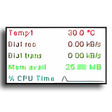
If you think Front Side Bus is where the driver sits, then this CPU diagnostic tool isn't for you. CPUCool's convoluted and confusing interface greatly hinders an otherwise useful program. The primary graph is difficult to read. The tool's Help file is difficult to browse, and poorly written. If you're not familiar with CPU temperature issues, motherboards, and clock speeds, this tool does almost nothing to further your understanding.
CPUCool is primarily a temperature gauge for your system. A big problem is that the program fails to inform users exactly what items are being measured. While the Help file follows the program's menu, very little information is given for most items. It's a shame because many of the functions are useful for users who have overextended their systems. This tool even helps change CPU speed for those confident enough to follow the very brief prompts. There are also some helpful functions to display SDRAM EEPROM contents, save select debug information, and easily set system shutdown keyboard combinations.
It performs well as a simple temperature monitor and includes some useful tools, but the poor documentation will scare away many potential users. If you already have the knowledge to use the information CPU displays, then it's worth giving the demo a shot.