Publisher's Description
From AutoDWG:
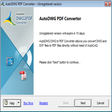
AutoDWG DWG to PDF Converter let you batch convert DWG to PDF, DXF to PDF without the need of the AutoCAD. Features include: create a single merged PDF file from several DWG files or create an individual PDF file for each DWG file selected, both model space and paper space supported, batch mode supported, multiple choice of output paper size, and doesn't need the AutoCAD. Supports AutoCAD 2013 now.
What's new in this version: Version 4.6 supports AutoCAD 2013.
More Products to Consider
- View DWG, DXF, and DWF drawings.Download
Installed
Smart Install - Batch convert DWG to PDF, DXF to PDF and DWF to PDF without nee...Download
Installed
Smart Install - Simplify design process and gain better control over placement ...Download
Installed
Smart Install - Browse, view, and print AutoCAD drawings.Download
Installed
Smart Install - Batch convert DWG to PDF, DXF to PDF and DWF to PDF without the...Download
Installed
Smart Install - Batch convert DWG, DXF and DWF to PDF files.Download
Installed
Smart Install - Print to PDF from Windows applications and optimize the PDF out...Download
Installed
Smart Install - View, edit, convert, print, and save AutoCAD drawings as PDFs a...Download
Installed
Smart Install - Open, view, and print any PDF file.Download
Installed
Smart Install - Create, visualize, document, and share your CAD projects.Download
Installed
Smart Install - Transform any printable document into PDF format.Download
Installed
Smart Install - Convert DWG to PDF or convert PDF to DWG as you wish without th...Download
Installed
Smart Install - Make your CAD works in powerful DWG-compatible environment.Download
Installed
Smart Install - Convert batches of DWG and DXF files into PDF.Download
Installed
Smart Install - Convert PDF to Word file format.Download
Installed
Smart Install - Transfer PDF files and objects to OneNote.Download
Installed
Smart Install - Concatenate and extract PDF files.Download
Installed
Smart Install - Open, view, edit, and save PDF files without Adobe Acrobat.Download
Installed
Smart Install - View all the Fonts installed on PC.Download
Installed
Smart Install - Open, view, and convert Adobe PDF files.Download
Installed
Smart Install - Get a graphic tool that provides a standard for typesetting mat...Download
Installed
Smart Install - Convert PDF to DWG format.Download
This download is served from an external site
closeNOTICE: This link will open a connection to a third-party site. CNET cannot ensure the security of software that is hosted on external sites.
Sponsored Products
Installed
Smart Install - Create Adobe PDF files with the push of a button.Download
Installed
Smart Install - Plot geographic information system data.Download
Installed
Smart Install
-
All versions:
3.7 starsout of 26 votes
-
Current version:
0 stars Be the first to review this product -
My rating:
Write review
-
"Without AutoCAD"
Version: AutoDWG DWG to PDF Converter 4.13
Pros
It can convert DWG to PDF, DXF to PDF, DWF to PDF directly, NO AutoCAD required
Cons
Not free version
-
"Well trial use"
Version: AutoDWG DWG to PDF Converter 4.13
Pros
fast and good as usual
Cons
update is more important
-
"value to buy it"
Version: AutoDWG DWG to PDF Converter 4.13
Pros
just try to use this converter,find it is simple but powerful.
Cons
haven't found
-
"a powerful converter"
Version: AutoDWG DWG to PDF Converter 4.13
Pros
quicker convert than others
Cons
it haven't free version
-
"Clearly result"
Version: AutoDWG DWG to PDF Converter 4.13
Pros
the convert result is clearly and right
Cons
just 15 days free try
Summary
it's a great thing to help me
-
"Satisfactory convert result"
Version: AutoDWG DWG to PDF Converter 4.13
Pros
Convert to what I want,clearly result.
Cons
why not cut down the price
Summary
a good converter
-
"simple but powerful"
Version: AutoDWG DWG to PDF Converter 4.13
Pros
a simple converter,powerful to use,convert smoothly
Cons
haven't found
Summary
a good converter
-
"good convert result"
Version: AutoDWG DWG to PDF Converter 4.13
Pros
Easy to use ,convert quickly,fantastic result
Cons
Not free,just trial.
Summary
fantastic
-
"Work better than others"
Version: AutoDWG DWG to PDF Converter 4.13
Pros
Try several software to help me convert,at last,this software is better.
Cons
No free version
Summary
Useful to me
-
"Good product"
Version: AutoDWG DWG to PDF Converter 4.13
Pros
Convert AutoCAD DWG to PDF quickly and very well
Cons
only 15days trial
Summary
It's a good product.