CNET Editors' review
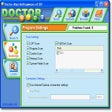
Due to a relatively small database of malware programs and lack of advanced features such as real-time protection, this antispyware application seems more like a work in progress than a finished product.Though it quickly goes about its business, Adware Away can't identify as many offending applications as its competitors, and it fails to catch quite a few third-party programs. The main window is easy enough to understand and quite polished. You can choose the areas of your PC to scan, but the program offers no additional information on found entries and doesn't allow you to sort them. The five-day trial period also may be too short for some users to fully evaluate this application.
At the end of the day, Adware Away stands as a strictly so-so option; it won't hurt to try it out, but its bigger-name competitors offer more comprehensive levels of protection.
Publisher's Description
From F.Y.N. Tech:
Adware Away is not only a malware removal tool, but also a diagnostic tool for Windows operating system. It is designed for both general computer user and computer repair technician. Our goals is to help user fix hard-to-fix problem which can not be fixed by other program and remove all hard-to-kill malwares including adware, spyware, browser hijacker, Trojan, and worm. With Adware Away, you can find and remove any new malwares and new variant of old malwares. AA provides a customizing service, which can greatly help those general computer users who have not much computer knowledge. Version 3.0.2 can remove 11 browser hijackers, 3 desktop hijackers, "your computer is infected" or "spyware infection" desktop background message and securityuptodate browser hijacker.
What's new in this version: Version 4.0.k adds removal for several rootkit malware.
More Popular Spyware Removers downloads
- Malwarebytes Anti-Malware
427,382 downloads
- SpywareBlaster
59,723 downloads
- Anvi Smart Defender
38,347 downloads
- Ad-Aware Free Internet Security
35,876 downloads
- Spybot - Search & Destroy
29,317 downloads
-
All versions:
3.8 starsout of 46 votes
-
Current version:
4.5 starsout of 13 votes
-
My rating:
Write review
-
"find stuff that other security programs donot find"
Version: Adware Away 4.0.k
Pros
did the work it states
Cons
worth to try
-
"Junk. A rogue program."
Version: Adware Away 4.0.k
Pros
Having it gone from my system.
Cons
It's been identified as a rogue product by a lot of people, and I don't see too many signs of lawsuits. I tried the free version and was not impressed by its scaremongering tactics. I suspect that it created problems just in order to find them.
Summary
The free-trial version "finds" errors and makes a fuss about how much in danger your system is. But it won't fix them, for that you have to buy the regular product. Well, no other security program was able to rediscover the malware that this found;
it took Malwarebytes Anti-Malware (or possibly Spybot) to get rid of it from my PC; and I have a strong suspicion that it's left traces of itself lingering still, which keep being detected by the other security scanners. No problems before downloading this; persistent registry warnings from (eg) Windows Live OneCare safety scanner ever since.
I wonder if all the people who wrote such glowing reviews of this product can possibly have tried the free version, or did they jump straight in and buy the full-price version? -
"Found malware that other products could not."
Version: Adware Away 4.0.k
Pros
Installation is fast, though it is a bit cumbersome when starting the program for the first time - several updates were necessary before I could begin. However, once it started it quickly found the cause of the problems.
Cons
I would prefer a true trial version - the free version is scan only. If it finds malware, you have to purchase the program for $35 in order to have the program remove it.
Summary
There is a money back guarantee...if the product is unable to remove the malware, there is an option to have support do a custom removal. So far this product has done exactly what it says it does.
-
"I like this one"
Version: Adware Away 4.0.k
Pros
fast and effective
Cons
nothing yet
Summary
it impressed me by its fast and effective scan & remover
-
"Finally this one get rid of the malware on my computer"
Version: Adware Away 4.0.k
Pros
tried many other free programs, some malware still show up in my computer, making my computer run very slow, after trying adware away and get prompt support service from their support team, now my computer runs smoothly like new
Cons
so far nothing i don't like
-
"excellent technical support"
Version: Adware Away 4.0.k
Pros
I tried the software, it didn't fix the malware problem in my computer, but their technical support team gave me prompt and effective help, i like this software and service.
Cons
it changed me from unlike to like by their excellent tech support service.
Summary
their tech support guy is professional
-
"it worthy the cost"
Version: Adware Away 4.0.k
Pros
Tried many free software to remove a rogue program from my computer, finally i ended up purchasing this one and it worked like a charm.
Cons
nothing i do not like
-
"excellent program and service"
Version: Adware Away 4.0.k
Pros
easy to use, prompt response from their tech support
Cons
nothing so far
-
"The ultimate solution for about:blank problem"
Version: Adware Away 4.0.k
Pros
Easy to use and does the job that it states, a complete solution to remove about:blank hijacker
Cons
it will be perfect to have a real time protection
Summary
fast and effective, do exactly what it states.
-
"Cleaned my computer in a few minutes"
Version: Adware Away 4.0.k
Pros
The scanner took 10 minutes and found 20+ threats, after one button click and reboot, my computer is back to my control again.
Cons
none so far
Summary
Saved my life i have to say, it quickly and effectively completed its job and did it very well.
Add Your Review
Submit your reply
E-mail this review
Report offensive content
See more CNET content tagged:
Previous Versions: