¿Has usado Z-Neon Theme GO Weather EX para Android?
Revisión de los editores
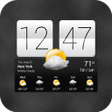
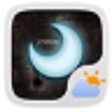
El tema Z-Neon para GO Weather EX es una aplicación gratuita para Android diseñada para mejorar la experiencia del usuario de la popular aplicación GO Weather EX. Este tema ofrece una estética neón visualmente impactante mientras proporciona datos meteorológicos precisos. Es compatible con varios tamaños de widget, específicamente 4*1, 4*2 y 2*1, lo que lo hace versátil para diferentes configuraciones de pantalla de inicio. Los usuarios pueden navegar fácilmente por la interfaz sencilla, que se integra a la perfección con GO Weather EX para ofrecer actualizaciones meteorológicas oportunas desde cualquier ubicación.
Alternativa más recomendada
El proceso de instalación del tema Z-Neon es fácil de usar. Después de asegurarse de que la última versión de GO Weather EX esté instalada, los usuarios pueden aplicar el tema accediendo al botón de temas dentro de la aplicación. Esto permite a los usuarios personalizar su experiencia meteorológica con un diseño vibrante que destaca. En general, el tema Z-Neon para GO Weather EX se dirige a aquellos que buscan una combinación de estilo y funcionalidad en sus aplicaciones meteorológicas.
¿Has usado Z-Neon Theme GO Weather EX para Android?
Explorar más
Moon Phase Widget Free
Gratuito
Pflotsh ECMWF
Gratuito
WIS News 10 FirstAlert Weather
Gratuito
CloudSpotting
Gratuito
Wind Free
Gratuito
Mete Weather Icons for Chronus
Gratuito
Knoxville Weather
Gratuito
Weather forecast
Gratuito
LastQuake
Gratuito
Day & Night Map
Gratuito
Accurate Barometer Free
Gratuito
DMI Weather
Gratuito