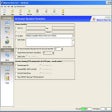
Webserver Stress Tool para Windows
- Por Paessler
- Versión de prueba
- Calificación del usuario
¿Has usado Webserver Stress Tool para Windows?
Revisión de los editores
Webserver Stress Tool es una utilidad de prueba de rendimiento diseñada para usuarios de Windows, que les permite evaluar las capacidades de sus servidores web bajo diversas condiciones de carga. Este software proporciona características que permiten a los usuarios simular múltiples conexiones simultáneas, lo que ayuda a identificar posibles cuellos de botella y problemas de rendimiento antes de la implementación. Es particularmente útil para desarrolladores y administradores de sistemas que necesitan asegurarse de que sus aplicaciones web puedan manejar cargas de tráfico esperadas de manera eficiente.
Alternativa más recomendada
La herramienta es compatible con una variedad de sistemas operativos, incluidas versiones más antiguas como Windows 98. Con su capacidad para generar informes detallados sobre el rendimiento del servidor, los usuarios pueden analizar los tiempos de respuesta y el comportamiento del servidor bajo estrés. La versión actual, , presenta optimizaciones para sistemas operativos más nuevos, incluido el soporte completo para Microsoft Vista, lo que la convierte en una opción versátil para pruebas de servidores web en diferentes entornos.
Webserver Stress Tool para Windows
- Por Paessler
- Versión de prueba
- Calificación del usuario
¿Has usado Webserver Stress Tool para Windows?
Explorar más

MSN
Gratuito
Localhost Spoofer
Gratuito
Internet Information Services (IIS) 5.0 Security Guidelines
GratuitoSMS in a Box
Versión de prueba
Arabic Keyboard
Versión de prueba
Easy Wi-Fi
GratuitoBit Che It
GratuitoPopMan
Gratuito
GT-Soft Ad Blocker
GratuitoSimple Server Monitor
Versión de pruebaInternet Access Monitor for MS ISA Server
Versión de pruebaAdobe Lightroom Exporter For Pixelpost
Gratuito