¿Has usado SHARP Display Connect para Android?
Revisión de los editores
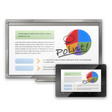
SHARP Display Connect es una aplicación gratuita de Android diseñada para mejorar las experiencias en reuniones facilitando la colaboración remota. Permite a los usuarios compartir flujos de video, pantallas y audio sin problemas entre dispositivos y pantallas externas, como proyectores o televisores. Esta funcionalidad es particularmente útil para equipos que requieren flexibilidad en la ubicación, permitiendo a los participantes participar en reuniones desde varios lugares sin perder conectividad. La aplicación también admite la creación y gestión de reuniones, agilizando el proceso de invitación para los asistentes que pueden estar distribuidos en diferentes ubicaciones.
Alternativa más recomendada
La interfaz de la aplicación es fácil de usar, lo que la hace accesible incluso para aquellos con experiencia técnica limitada. Al habilitar el uso compartido de pantalla en tiempo real y videoconferencias, SHARP Display Connect mejora la productividad y la comunicación dentro de los equipos. Su compatibilidad con varios dispositivos asegura que los usuarios puedan conectarse sin esfuerzo, convirtiéndola en una herramienta valiosa tanto para entornos corporativos como educativos. En general, esta aplicación sirve como una solución práctica para las necesidades modernas de reuniones.
¿Has usado SHARP Display Connect para Android?
Explorar más
Calendar Gear - Google Calendar for Samsung Watch
Gratuito
Protect Net: safe firewall for android no root
Gratuito
Coupons for Harbor Freight Too
Gratuito
ReadyCLOUD
Gratuito
BlueJeans for Android
Gratuito
i360 Call
Gratuito
Wachee VPN | Unblocker for Netflix
Gratuito
Search It
Gratuito
House of Fraser
Gratuito
Time Planner - Schedule, To-Do List, Time Tracker
Gratuito
Mattilbud
Gratuito
BigMIND - Cloud Backup
Gratuito