¿Has usado Nitrodeck Launcher para Android?
Revisión de los editores
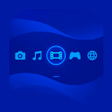
Nitrodeck Launcher transforma la pantalla de inicio de Android en una interfaz similar a la de una consola, adaptada para juegos portátiles. Esta aplicación prioriza el acceso a los juegos y la navegación con controladores, lo que la convierte en una opción ideal para los entusiastas que prefieren un lanzador dedicado en lugar de interfaces móviles estándar. Nitrodeck ofrece dos modos de presentación distintos: Clásico de pantalla dual y Carrusel de fotos. Además, integra una biblioteca de juegos local que permite la selección de carpetas y el lanzamiento de juegos a través de emuladores externos, asegurando una experiencia personalizada para los usuarios. El diseño con prioridad offline permite el almacenamiento de preferencias locales, lo que la hace adecuada para usuarios que juegan sin conexión a internet.
El lanzador se centra en la navegación no táctil, soportando entradas de gamepad y teclado mientras mantiene la visibilidad de las insignias de notificación. Los usuarios pueden organizar fácilmente sus títulos de juegos con características como indexación basada en carpetas e íconos de aplicaciones personalizados. Aunque configurar el lanzador requiere algo de configuración manual, especialmente para vincular juegos a emuladores, la extracción automática de carátulas simplifica el proceso. Nitrodeck es particularmente útil para entusiastas de los juegos portátiles que buscan una interfaz simplificada y amigable con controladores.
¿Has usado Nitrodeck Launcher para Android?