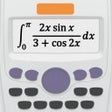
¿Has usado NCalc Scientific Calculator para iOS?
Revisión de los editores
NCalc Calculadora Científica es un potente software educativo diseñado para usuarios de iPhone, dirigido específicamente a estudiantes de matemáticas y ciencias. Esta aplicación ofrece una interfaz intuitiva que permite a los usuarios introducir ecuaciones de una manera similar a los cálculos escritos a mano. Cuenta con modos simbólicos y numéricos, lo que permite a los usuarios realizar una amplia gama de cálculos, desde aritmética básica hasta ecuaciones complejas, incluyendo cuárticas e desigualdades. El solucionador de ecuaciones es una característica destacada, equipado para manejar diversos desafíos matemáticos con precisión.
Alternativa más recomendada
Además de sus funcionalidades básicas, NCalc cubre extensamente conceptos de cálculo, proporcionando herramientas para derivadas, integrales y límites. La aplicación también soporta números complejos y cálculos en base N, lo que la hace versátil para sistemas binarios, decimales, hexadecimales y octales. Sus funciones estadísticas incluyen análisis de regresión y representación gráfica, permitiendo un análisis de datos completo. Además, la calculadora de matrices y vectores mejora su utilidad, acomodando diferentes formatos de salida y unidades de ángulo, mientras que el formateador decimal asegura claridad en la presentación de resultados numéricos.
¿Has usado NCalc Scientific Calculator para iOS?
Explorar más
BabyTV Video: Kids Shows & Nursery Rhymes, Baby TV
Gratuito
Animals - Guess Who?
Gratuito
The Heidelberg Catechism
Gratuito
Baby's First App Animal Edition
De pago
Grand Prix Multiplication
De pago
Phonics Rhyming Bee Free - Short Vowels for Preschool and Kindergarten
Gratuito
Cisco eReader
Gratuito
LingQ: Learn Languages on the Go
Gratuito
StaffWars Live
De pago
Homeroom - Private albums for teachers and parents
Gratuito
Word Wizard for Kids
De pago
StuDocu
Gratuito