¿Has usado Hindi Keyboard-Roman English to Hindi Input Method para Android?
Revisión de los editores
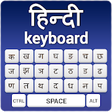
El teclado en Hindi - Método de entrada de inglés romano a hindi es una aplicación fácil de usar diseñada para dispositivos Android. Esta utilidad permite a los usuarios escribir en hindi utilizando caracteres en inglés romano, haciéndola accesible para aquellos que pueden no estar familiarizados con la escritura en hindi. La aplicación cuenta con una interfaz intuitiva que simplifica la transición del inglés al hindi, permitiendo una comunicación fluida en ambos idiomas. Además, admite varios dialectos del hindi, atendiendo a una amplia audiencia y mejorando la experiencia de escritura.
Alternativa más recomendada
La aplicación incluye características como sugerencias automáticas y predicciones de palabras, que mejoran la eficiencia al escribir. Los usuarios pueden personalizar su experiencia con diferentes temas y diseños, proporcionando un toque personalizado. El teclado en hindi es compatible con varias aplicaciones de mensajería y redes sociales, asegurando que los usuarios puedan incorporar fácilmente texto en hindi en sus conversaciones. En general, esta aplicación sirve como una herramienta práctica para cualquiera que busque comunicarse en hindi sin necesidad de aprender la escritura.
¿Has usado Hindi Keyboard-Roman English to Hindi Input Method para Android?
Explorar más

Heavy Excavator Simulator 2019 - Excavator Breaker
Gratuito
Phone Services Update and Info
Gratuito
Tractor Traffic Racer: GT Tractor Games
Gratuito
Para Box System 1.0
Gratuito
Whois Data - Domain Whois Lookup Tool
Gratuito
LivePin Gps Security - Vehicle Tracker
Gratuito
Kids Car Wash Salon Service Workshop
Gratuito
magisk check the root
Gratuito
Twist of the Wrist
Gratuito
Sharp Security Cloud Smarthome
Gratuito
Repair Manual for F 150
Gratuito
PRO Symbols, Nicknames, Letters, Text tools
De pago