¿Has usado HiBit System Information para Windows?
Revisión de los editores
HiBit System Information es una utilidad gratuita diseñada para Windows que proporciona información detallada sobre los componentes de hardware y software de tu ordenador. El programa categoriza la información en dos secciones principales: Hardware y Software, permitiendo a los usuarios acceder fácilmente a especificaciones detalladas. Cuenta con una versión instalable y una variante portátil, lo que la hace versátil para diferentes escenarios de uso. Los usuarios pueden navegar a través de una interfaz sencilla que muestra información crítica a través de tres pestañas principales: Resumen, Hardware y Software, con más subcategorías disponibles para explorar.
Alternativa más recomendada
La sección de Hardware cubre diez pestañas, incluyendo CPU, RAM, Placa base y Almacenamiento, mientras que la sección de Software ofrece siete pestañas como Sistema Operativo y Programas Instalados. Los usuarios pueden exportar informes en formato HTML, aunque no hay opción para otros tipos de archivos. HiBit System Information se destaca por sus diagnósticos en tiempo real, proporcionando resultados inmediatos sin necesidad de escaneo. En general, la herramienta es fácil de usar y proporciona datos valiosos para aquellos interesados en el rendimiento de su sistema.
¿Has usado HiBit System Information para Windows?
Explorar más
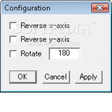
SakasaMouse
Gratuito
win95.exe
Gratuito
WinSysClean X10
GratuitoLSI Logic 1020/1030 Ultra320 SCSI Adapter
Gratuito
Windows 10 Day One Patch (64-bit) (KB 3074683)
Gratuito
Prayaya V3
Gratuito
FrontFace Lockdown Tool
Gratuitodrv_sw5_v6_11_d1.exe
Gratuito
AMIDuOS Pro 2 (Lollipop 64-bit)
Versión de pruebaNVIDIA nForce Networking Controller
Gratuito
Display Test for Windows 10
Gratuito
Keycounter
Gratuito