¿Has usado Galaxy S9 Plus Digital Clock Widget App para Android?
Revisión de los editores
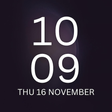
La aplicación de widget de reloj digital Galaxy S9 Plus es una utilidad gratuita diseñada para dispositivos Android, que proporciona a los usuarios una experiencia de reloj digital personalizable inspirada en el Galaxy S9 y S9 Plus. Esta aplicación cuenta con varios widgets de reloj, incluyendo un calendario digital que muestra la fecha, el día, el mes y el año. Con un enfoque en la personalización, los usuarios pueden seleccionar entre tres estilos de reloj diferentes y personalizarlos según sus preferencias, mejorando la estética de sus pantallas de inicio.
Alternativa más recomendada
La aplicación es fácil de usar, acomodando una amplia variedad de dispositivos móviles y tabletas. Los usuarios pueden instalar el widget fácilmente siguiendo las simples instrucciones proporcionadas dentro de la aplicación. Una vez instalado, el widget se puede colocar en la pantalla de inicio seleccionándolo de las opciones de widget. Esta funcionalidad permite a los usuarios disfrutar de un reloj digital elegante mientras mantienen un fácil acceso a información esencial de tiempo y fecha.
¿Has usado Galaxy S9 Plus Digital Clock Widget App para Android?
Explorar más

Lock Screen IOS 10 - Phone7
Gratuito
Video Frame - Collage Maker
Gratuito
3D Scanner for ARCore (Early Access)
Gratuito
My Number - whatismynumber.io: find phone number
Gratuito
Serial Bluetooth Terminal
Gratuito
Apps Share
Gratuito
SD Card Repair checker
Gratuito
Ebitcam
Gratuito
Thunder VPN - A Fast , Unlimited, Free VPN Proxy
Gratuito
Best Compass
Gratuito
USB OTG Checker
Gratuito
Offline Notepad
Gratuito