¿Has usado Free IP Switcher para Windows?
Revisión de los editores
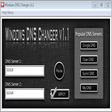
Free IP Switcher es una utilidad diseñada para Windows que permite a los usuarios gestionar y cambiar entre diferentes configuraciones de red sin esfuerzo. Esta herramienta es particularmente útil para individuos que cambian frecuentemente sus ajustes de red, ya sea en casa, en el trabajo o en entornos educativos. Con Free IP Switcher, los usuarios pueden guardar múltiples perfiles de red que contienen información esencial como direcciones IP, configuraciones de DNS y configuraciones de proxy. La interfaz tabulada y sencilla del programa mejora la usabilidad, permitiendo a los usuarios navegar por sus perfiles guardados con facilidad.
Alternativa más recomendada
Una de las características notables de Free IP Switcher es su capacidad para cargar automáticamente la configuración de red actual, simplificando el proceso de configuración. Los usuarios pueden crear tantas pestañas como necesiten para varios perfiles de red, aunque vale la pena señalar que no hay opción para eliminar pestañas no utilizadas. En general, Free IP Switcher funciona como una herramienta eficiente para gestionar ajustes de red, proporcionando una solución rápida para los usuarios que necesitan cambiar sus configuraciones de IP sin reiniciar sus computadoras.
¿Has usado Free IP Switcher para Windows?
Explorar más

TFTP Turbo (64-bit)
Versión de prueba
Microsoft Network Monitor
Gratuito
WinDump
Gratuito
Wandering IPs
Versión de pruebaLDAPManager
Gratuito
Ethernet Bridge
Gratuito
EzPing
Gratuito
Docklight Scripting
Versión de prueba
ManageEngine ADManager Plus
Gratuito
IP-Info
GratuitoMerz OPC General Modbus & Jbus Master Server
Versión de prueba
Wake On LAN
Gratuito