¿Has usado Black theme for LG G7 V35 ThinQ para Android?
Revisión de los editores
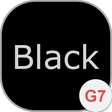
Tema Negro para LG G7 V35 ThinQ es una aplicación de personalización diseñada específicamente para smartphones LG, mejorando la estética visual del dispositivo. Esta aplicación proporciona un modo oscuro que no solo es visualmente atractivo, sino que también optimiza la duración de la batería en pantallas OLED. Los usuarios pueden esperar una interfaz negra cohesiva en todo su dispositivo, ofreciendo una apariencia moderna y elegante. El tema está diseñado para dispositivos que ejecutan Android 9.0 y superior, asegurando compatibilidad con modelos más nuevos.
Alternativa más recomendada
La aplicación es sencilla de instalar, requiriendo una configuración mínima para aplicar el tema de manera efectiva. Cuenta con una interfaz fácil de usar que permite una navegación y personalización sencillas. Tema Negro para LG G7 V35 ThinQ es una aplicación gratuita, lo que la hace accesible a una amplia gama de usuarios que buscan mejorar la apariencia de su dispositivo sin incurrir en costos. En general, atiende a usuarios que prefieren una estética oscura y elegante en sus dispositivos móviles.
¿Has usado Black theme for LG G7 V35 ThinQ para Android?
Explorar más

iPear 14 - Icon Pack
De pago
Volume Styles - Customize your volume panel
Gratuito
ios 14 widgets for kwgt
De pago
Launcher for KODI
Gratuito
Orca for KWGT
De pago
My Beach Free
Gratuito
Snappy Launcher 2019 - hi-tech launcher theme
Gratuito
Lines Gold - Icon Pack (Free Version)
Gratuito
Jesus Keyboard
Gratuito
3D Sound Effects
Gratuito
CMX - Modern UI UX * KLWP Theme
De pago
Sticker Maker
Gratuito