¿Has usado Best Digital Clock Widget para Android?
Revisión de los editores
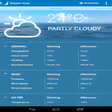
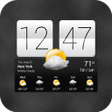
El Mejor Widget de Reloj Digital es una aplicación versátil diseñada para dispositivos Android que combina la medición del tiempo con actualizaciones del clima. Este widget mejora la pantalla de inicio de tu dispositivo al permitir a los usuarios personalizar la visualización del reloj con diversas pieles y colores, convirtiéndolo en una adición única a cualquier configuración. Más allá de simplemente indicar la hora, proporciona pronósticos del clima precisos, asegurando que los usuarios estén preparados para las condiciones cambiantes. La interfaz de usuario es sencilla, permitiendo una fácil colocación y configuración del widget para un acceso rápido tanto a la información del tiempo como a la del clima.
Alternativa más recomendada

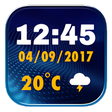
Las características de personalización son un punto destacado de esta aplicación, permitiendo a los usuarios adaptar su experiencia a sus preferencias. Los usuarios pueden seleccionar de una amplia gama de temas de reloj y ajustar la visualización del tiempo a su gusto. Además, la aplicación incluye una función de alarma, proporcionando opciones para diferentes sonidos de alarma. Esta combinación de funcionalidad y personalización hace que el Mejor Widget de Reloj Digital sea una herramienta práctica para los usuarios de Android que buscan mejorar su pantalla de inicio.
¿Has usado Best Digital Clock Widget para Android?