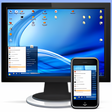
¿Has usado akRDCFree VNC viewer para Android?
Revisión de los editores
akRDCFree VNC Viewer es una aplicación versátil de control remoto de escritorio diseñada para dispositivos Android. Esta herramienta gratuita permite a los usuarios conectarse a sus PC desde cualquier lugar, ofreciendo compatibilidad con varios servidores VNC como TightVNC, UltraVNC y RealVNC. Su interfaz fácil de usar y el soporte para múltiples idiomas la hacen accesible a un amplio público. Las características clave incluyen capacidades de transferencia de archivos, optimización del ancho de banda de la red y atajos de teclado personalizables, mejorando la experiencia general del usuario y la eficiencia en las operaciones remotas.
Alternativa más recomendada
La aplicación soporta funcionalidades avanzadas como transferencias de archivos mediante arrastrar y soltar y emulación de acciones de la rueda del ratón, que son particularmente útiles para los usuarios que requieren una interacción fluida con su escritorio remoto. Además, akRDCFree permite una fácil navegación a través de sus atajos de conexión y teclas de función especiales, asegurando que los usuarios puedan gestionar sus sesiones remotas de manera efectiva. En general, esta aplicación se destaca en la categoría de comunicación por sus características robustas y facilidad de uso.
¿Has usado akRDCFree VNC viewer para Android?
Explorar más
hack.chat
Gratuito
X Messenger Ball
De pago
Wireless Keyboard
Gratuito
mysms SMS Text Messaging Sync
Gratuito
Voice Dialer
Gratuito
Datafile.com File Manager
Gratuito
Restore : Recover Deleted messages & Status saver
De pago
Internet Browser for Sony TV
Gratuito
Vianet
Gratuito
Talk FREE - Text to Voice - Read aloud
Gratuito
JioCall
Gratuito
iPlum: 2nd Phone Number US, Canada, 800 Toll Free
Gratuito