- Quick specs
- Price: Free
- Operating system: Windows 95/98/2000/XP/NT
- Date added: July 07, 2009
- Total Downloads: 3,783
- Downloads last week: 28
- See full specifications
- CNET editors' rating: stars
- Average user rating: stars out of 6 votes
See all user reviews
CNET editors' review
Reviewed by: CNET staff on August 17, 2009
If you slept through geometry class or you need help with trigonometry studies, this app may be just the tutor you're looking for.
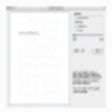
Geometry launches a compact but easy-to-use and functional interface with three small panes. It's a bit plain looking, but looks aren't everything--performance counts a lot with this app. One pane lists the type of calculations (3D area and volume, 2D area, coordinate geometry, right triangle geometry, trig, arcs and sectors), the second lists the shape or theorem or law to be tested, and the third illustrates the item chosen from the second pane. Clicking an option launches a second window with the selected formula and an illustration for entering values and calculating results.
This nifty little app performed very well during our tests. It responded quickly and was very simple to use. It offers a great refresher course and method for checking homework. Practical uses outside of school are obvious for renovators and designers. We especially liked the illustrated calculations and the inclusion of each item's formula. Home-schooling parents who feel weak in mathematical areas will really appreciate this free tool for assisting their students and demonstrating theorems and laws.
Publisher's description
From Travis East :Calculates Surface Area and Volume of common Geometric Figures. These include cones, cylinders, spheres, prisms, and pyramids. It also will perform some standard/metric conversions.The software will perform calculations involving the pythagorean theorem, sine, cosine, tangent, special triangles, regular polygons, circles, arcs, triangles, squares, rectangles, distance, slope, midpoint, Trigonometry, and coordinate geometry. The interface includes drawings of each scenario and the formulas involved in the calculation.
More popular Math Software downloads
- 2,640 downloads 1. Garmin MapSource
- 1,790 downloads 2. MathCAD
- 954 downloads 3. Matlab
- 915 downloads 4. PASW Statistics
- 768 downloads 5. DeadLine
- See all Math Software downloads
User reviews
- Average user rating: 4.3 stars out of 6 votes
- My rating: 0 stars Write review
-
Showing 5 of 6 user reviewsSee all 6 user reviews
This software version | All versions -
Version: Geometry 2.8.2
Pros: Very simple to use.
Cons: None what I can see.
Summary: Handy to have when you have reached the age when good old formulas has disappeared from your brain.
-
Version: Geometry 2.8.2
Pros: Works with Win7 64-bit.
FreeCons: Not very fancy.
Summary: Quick answers without using the calculator.
-
Version: Geometry 2.8.2
"good for students understanding of geometric processes"
Pros: it is a good product to keep the user from having to keep the formulas and shapes memorized and for homework help
Cons: it gives a student too easy of a way to get around basic geometric processes
Summary: good from user aspect, not good from a learner aspect
-
Version: Geometry 2.8.2
Pros: Covers nearly all basic plane and solid geometry formulas. Nice.
Cons: None that I can think of.
Summary: While I generally no longer need to use these formulas its good to know they are easily available rather than digging up my college texts. I have a friend whose daughter has been struggling with geometry despite (or maybe because of) my tutoring. ... read more >>
-
Version: Geometry 2.8.2
"quite a handy tool for students as well as for others"
Pros: very handy tool and does what it says ... pretty useful for those who use geometry often..
Cons: nothing I can think of as i have used it once
- See all 6 user reviews Write review
Submit your review
Previous Versions: